- Sat - Thu 09:00 AM to 08:00 PM

Choosing a Cloud POS System in Kuwait: What Restaurant Owners Should Check Before Buying
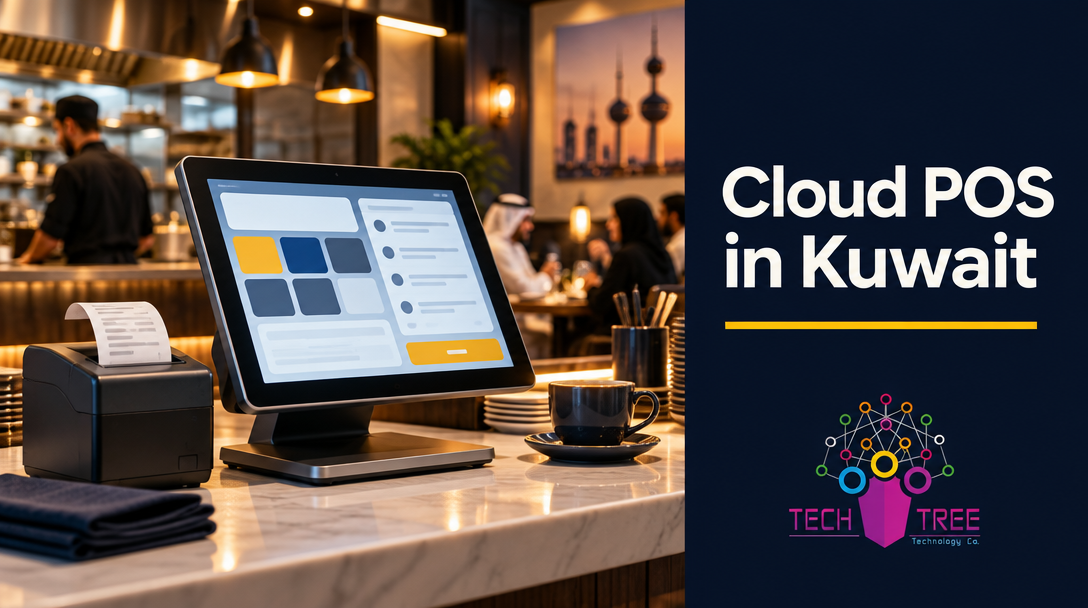
Your POS is the one system in your restaurant that never gets a day off. Lunch service starts at noon, delivery orders keep arriving until midnight, and every one of those orders has to be rung up, printed and paid for. When the till stops, the kitchen keeps cooking and nothing else works.
Cloud POS changed how restaurants in Kuwait run their counters. Instead of a server tucked away in a back office, your sales, stock and reports live in the cloud. You can see every branch from your phone, and you can open a second location without rebuilding the whole setup from scratch.
But not every cloud POS is built for how restaurants here actually operate. Before you sign a contract, here is what to check.
Start with the question that matters: what happens when the internet drops?
Every demo room has perfect WiFi. Your dining room at 8pm on a Friday does not.
Ask the vendor to explain, in plain terms, what happens to a sale when the connection goes down. You want to hear that orders queue on the terminal, print to the kitchen as normal, and sync to the cloud automatically once the connection returns. You do not want to hear that your staff will write tickets by hand and re-enter them later.
Also ask how long the system can run offline. A POS that survives a two-minute blip is not the same as a POS that survives an hour. Get the answer in writing before you commit.
Your branch data should be one screen, not five spreadsheets
Single-location restaurants can live with a simple till. The moment you run two branches, the questions change. Which branch is behind on sales? Which one is over-staffed on a Tuesday morning? Where did yesterday’s stock go?
A cloud POS should answer those questions without anyone building a report by hand. Look for live sales, stock and shift data per branch, one dashboard that compares locations side by side, and alerts for the things owners care about: heavy discounts, voids and cancelled items, cash drawer variances.
Ask which reports arrive automatically and which ones you have to build yourself. Reports you have to chase every week are reports you will stop reading.
Know your totals before you open: hardware, network and installation
A POS is only as reliable as the network underneath it. This is where most restaurant technology projects go wrong.
Your setup will include some combination of terminals or tablets, receipt and kitchen printers, a cash drawer, barcode scanners, and card terminals. Underneath all of it sits the network: WiFi that reaches every table and every corner of the kitchen, cabling for fixed stations, a rack or cabinet to keep it tidy, and power backup so a short outage does not take the counter down with it.
Ask who supplies, installs and owns each piece, and ask what happens on day one. If you buy software from one company and networking from another, the first failed connection becomes an argument about whose problem it is. One accountable partner for both means one number to call.
Do not sign until you know what support covers
Support is where cheap options fall apart. Signage that looks identical on a brochure can hide a support desk that closes at 5pm and answers in another timezone.
Ask these directly: what hours is support available, is it genuinely around the clock, is help remote or onsite, and what response time is committed when your counter is down? Ask who trains your staff and who retrains the new hire in six months. Ask what a call at 11pm on a Friday costs.
A useful benchmark: at Tech Tree, support runs 24/7, onsite response is committed at 2 to 4 hours, and the team works in Arabic and English, which matters when the person calling is not the person who bought the system.
Ten questions to ask before you buy a cloud POS in Kuwait
- What exactly happens when the internet goes down, and for how long can the system keep selling?
- How is pricing structured per branch? Does a second location mean a second full licence?
- Who owns your sales data, and can you export it in a format you can actually use?
- Which reports reach you automatically every day or week, without anyone building them?
- Does it handle Arabic and English across receipts, kitchen tickets and menus?
- Does it connect to the tools you already run: accounting, delivery platforms, loyalty, payroll?
- How are menu items, prices and staff permissions updated across all branches at once?
- What training is included, and how long before your team is confident on the system?
- What is the installation and go-live timeline for your first branch?
- What does support cost after the first year, and can you leave with your data if you do?
Print those ten questions. Take them to every vendor meeting. The answers will separate the options faster than any feature list.
What checkout downtime actually costs you
Feature lists are abstract. Downtime is not.
Think about your busiest two hours of the week. Now picture the till going down for part of that. Orders are taken on paper, tickets reach the kitchen late or out of order, card payments need an alternative, and your manager spends the rest of the shift rebuilding what happened. Add the reconciliation you will do the next morning, and the customer who watched a queue form at the counter.
A POS that stops for one evening costs more than a year of proper support. That is the comparison that should decide your budget, not the cheapest monthly licence.
Bring the checklist, or bring one partner
Choosing a cloud POS in Kuwait comes down to two things: the system has to keep selling when conditions are not perfect, and someone has to answer when it does not.
Use the ten questions above to pressure-test any vendor, and make sure the network, the hardware and the software are owned by one team who will pick up the phone.
Tech Tree designs, installs and supports complete business technology stacks across Kuwait and the GCC, including cloud POS, ERP and industry software, plus CCTV, structured cabling, access control and custom web and mobile development. More than 300 businesses rely on us, with 24/7 support and onsite response in 2 to 4 hours.
Talk to Tech Tree before your next POS decision, and open with confidence.